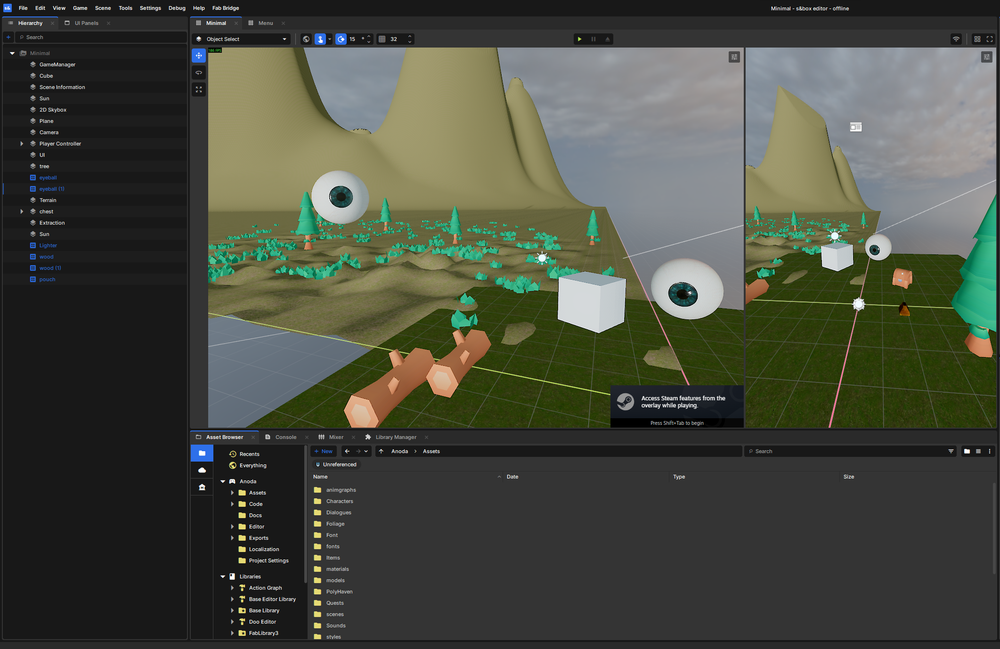

Some time ago I built a spatial inventory in Unreal Engine 5. Items had a width and a height, you dragged them onto a grid and rotated them to fit, and it was server authoritative, so in multiplayer every client agreed on what sat where. A Tetris board you filled with loot, and I was proud of it.
When I started a new game solo in s&box, I rebuilt the inventory from scratch and went the opposite way on two fronts. It is a flat list of slots, one item per slot, stackable, and it does no networking at all, because the game is single player. Both were deliberate.
This is why the simpler design was the right one rather than the lazy one, what the real code looks like, and the one tricky s&box detail the simple version still forced me to get right.
Two inventories, two amounts of work
The UE5 version was a spatial grid. Every item carried a footprint, the grid tracked occupancy, and dropping an item ran a placement check: does this shape fit here, does it overlap something already placed, can the player rotate it into the gap. On top of that it replicated from the server.
The hidden cost is the part nobody screenshots:
- a footprint per item, and tooling to author it
- an occupancy map kept correct after every move
- rotation state, and a fit check that respects it
- collision against everything already placed
- replication of all of it, so the server stays the source of truth
Those interact. Rotation feeds fitting, fitting feeds collision, collision feeds replication. A spatial, networked inventory is not one feature, it is a small product wearing the costume of one. Fine for a team. A different story when the team is one person.
The s&box version, by contrast, is a List<InventorySlot> of fixed length. A slot holds one item and a count. Stacking is arithmetic, there is no geometry and no replication, and the hardest thing it does is clamp a number to a maximum.
The solo developer argument
I built the complex one, so I could explore what it is and how it's done. The real question was never whether I could build it again, but whether I could carry it. As a solo developer every system I add I also own forever: the bugs, the netcode, the UI, the content tooling. A spatial inventory does not just cost the week it takes to write, it charges rent every month after in maintenance and attention, and attention is the one resource a solo project cannot print more of.
So I made two cuts on purpose. No spatial grid, one item per slot. No multiplayer, single player saved to disk, nothing to replicate. Scope is a feature, and sizing systems to a team of one is the difference between a game that ships and one that quietly stalls in a folder.
The s&box model, and why it felt faster
s&box is Facepunch's engine on Source 2: C#, with scenes, GameObjects and Components, and Razor for UI. If you have used Unity the shape is familiar, a Component is a class you attach to a GameObject, and [Property] exposes a field in the editor.
It also simply felt faster to work in. s&box is a focused engine built for games, where UE5 is beautiful but heavy, and you feel that weight in every iteration: editor load, compile times, the surface area you wade through to do something small. s&box gets out of the way, and for a solo developer iterating all day that speed is not a luxury, it is most of what kept the rebuild quick.
Also, Razor is built with HTML, and with my experience, it was an easy thing to adopt.
An item is just data
Items are a GameResource, the s&box cousin of a Unity ScriptableObject: a data asset you edit in the editor. Because the inventory is simple, the item mostly just describes itself.
[Icon( "work" )]
[AssetType( Name = "Inventory Item", Extension = "item" )]
public class InventoryItemResource : GameResource
{
    [Property] public string Name { get; set; } = "New Item";
    [Property, ImageAssetPath] public string Icon { get; set; }
    [Property] public ItemRarity Rarity { get; set; } = ItemRarity.Common;
    [Property] public bool IsStackable { get; set; } = false;

    [Property, ShowIf( "IsStackable", true )]
    public int MaxStackSize { get; set; } = 99;

    [Property] public PrefabScene ItemPrefab { get; set; }
    [Property] public bool CanDrop { get; set; } = true;

    // description, passive effects and a few other fields trimmed
}
No width, no height, no shape, no rotation flag. The only size concept in the whole system is MaxStackSize.
A slot, and the one field that earns its place
A slot is a plain C# class, not a resource, because it is live gameplay state and never a saved file.
public class InventorySlot
{
    [Property] public InventoryItemResource Item { get; set; }
    [Property] public int Amount { get; set; } = 0;

    public bool IsEmpty => Item == null || Amount <= 0;

    public int Version { get; set; } = 0;

    public override int GetHashCode() =>
        System.HashCode.Combine( Item?.GetHashCode() ?? 0, Amount, Version );
}
Item and Amount are obvious. Version is the heart of the only hard part of this system. Hold that thought.
The container is the panel
There is no separate inventory class. The Razor panel is the container. It inherits PanelComponent, owns the List<InventorySlot> Slots (default Capacity 24), and holds the add and remove logic. Adding an item is a two pass walk, top up matching stacks, then fill empty slots, then complain if anything is left over.
public void AddItem( InventoryItemResource item, int amount )
{
    if ( item == null || amount <= 0 ) return;

    int remaining = amount;

    // 1. Top up existing stacks first
    if ( item.IsStackable )
    {
        for ( int i = 0; i < Slots.Count; i++ )
        {
            if ( Slots[i].Item == item && Slots[i].Amount < item.MaxStackSize )
            {
                int space = item.MaxStackSize - Slots[i].Amount;
                int toAdd = System.Math.Min( space, remaining );
                Slots[i] = new InventorySlot { Item = item, Amount = Slots[i].Amount + toAdd, Version = Slots[i].Version + 1 };
                remaining -= toAdd;
                if ( remaining <= 0 ) break;
            }
        }
    }

    // 2. Put the remainder in empty slots
    if ( remaining > 0 )
    {
        for ( int i = 0; i < Slots.Count; i++ )
        {
            if ( Slots[i].Item == null )
            {
                int toAdd = item.IsStackable ? System.Math.Min( item.MaxStackSize, remaining ) : 1;
                Slots[i] = new InventorySlot { Item = item, Amount = toAdd, Version = Slots[i].Version + 1 };
                remaining -= toAdd;
                if ( remaining <= 0 ) break;
            }
        }
    }

    if ( remaining > 0 )
        Log.Warning( "Inventory full! Some reward items were lost." );

    Slots = new List<InventorySlot>( Slots );
    StateHasChanged();
}
No spatial reasoning, because the design removed the need for it. But notice the last two lines, and that every slot write builds a brand new InventorySlot instead of editing the existing one. That is the one tax the simple inventory still charges.
Making s&box notice
s&box renders the slots with a VirtualGrid, and the catch is that it only rebuilds its cells when the Items sequence changes by reference.
<VirtualGrid Items=@Slots ItemSize=@(120)>
    <Item Context="item">
        @if ( item is InventorySlot slot && slot.Item != null )
        {
            <div class="spawn-button rarity-@( slot.Item.Rarity.ToString().ToLower() )">
                <img src=@slot.Item.Icon/>
                <span class="item-name">@slot.Item.Name</span>
                @if ( slot.Amount > 1 )
                {
                    <div class="amount">x@( slot.Amount )</div>
                }
            </div>
        }
    </Item>
</VirtualGrid>
If I mutate a slot in place, the list is still the same list holding the same objects, and the panel shows stale data. You add three apples and the screen does not move. So the simple inventory comes with a contract you honor everywhere a slot changes:
- Never edit a slot in place. Replace it with a new
InventorySlotand bumpVersion. - After any change, swap the whole list for a fresh copy,
Slots = new List<InventorySlot>( Slots ). - Let the panel know through
BuildHash, which folds every slot's hash in.
protected override int BuildHash()
{
    var h = new System.HashCode();
    h.Add( IsOpen );
    foreach ( var s in Slots ) h.Add( s );
    return h.ToHashCode();
}
That is why Version exists. Two stacks can be identical in value and still need to count as a change, for example after you drop a stack and refill the same slot with the same item and amount, and the counter guarantees the hash moves. Engine specific challenges you only learn by walking into it.
The rule I am keeping
Size the inventory to the game and the team, not to your ego.
I still keep the Tetris inventory, a good portfolio piece and honest proof I can build the hard version when something calls for it. But the system that ships is the one a single person can carry, and that turned out to be a flat list of slots, single player, with one small change detection contract to respect. The clever inventory is very often where solo games quietly go to die. The boring one gets finished. That was always the point.